Affiliate Disclosure: Modern Men HQ may earn a commission if you purchase Exposure Empire through links in this article. This does not affect what you pay.
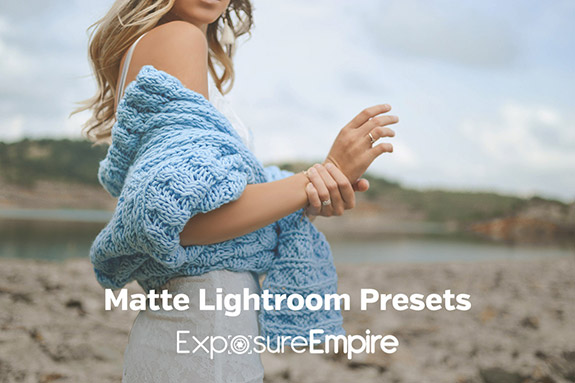
Exposure Empire makes the strongest case for photographers who already use Lightroom and want a broad library of starting looks without paying premium preset prices. The current bundle is $29 as a one time purchase and includes 546 presets across 21 packs. That is a lot of choice. The real question is whether that choice improves your workflow or simply gives you another folder to ignore.
This is a research based review, not a hands on test of all 546 files. The useful way to judge the bundle is by what it includes, how presets actually fit a serious editing workflow, and whether the breadth solves a problem you genuinely have.
What Is Exposure Empire and How Does It Work?
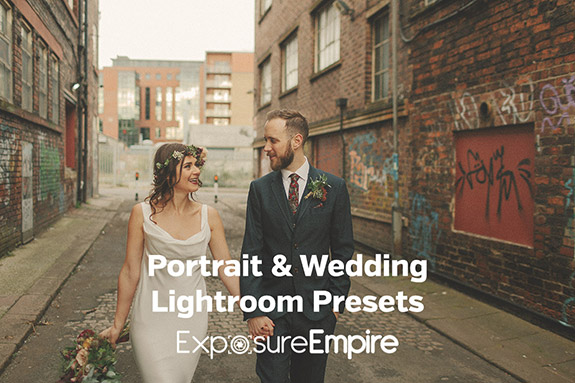
Exposure Empire sells Lightroom presets designed to apply groups of editing settings at once. Its current bundle combines 21 packs and 546 presets, including matte and film, black and white, cinematic, portrait and wedding, golden hour, urban, vintage, light leak, pastel, haze, split toning and HDR style options.
The official product page currently lists the bundle at $29 with a one time payment, immediate digital download and a 60 day satisfaction guarantee. The seller states that the files work with Lightroom 4, 5, 6, CC and Classic CC on Mac and PC, and with RAW, DNG and JPEG files. Because that compatibility language includes older Lightroom generations, confirm your exact current Adobe setup before buying.
A preset is best treated as a starting point, not a finished photograph. Apply it, then correct exposure, white balance, skin tone and other settings for the actual image in front of you.
What Do You Get With the Bundle?
The main advantage is range. Instead of buying one narrow visual style, you get categories that cover restrained edits and deliberately stylized looks. The official page lists 546 presets in 21 packs. Individual pack sizes range from 13 Cross Processed presets to 44 Lomo presets, with portrait, wedding, monochrome, film, autumn and other options between them.
That breadth is useful when you are still discovering your editing preferences. It is less useful if you already know exactly how you want your photographs to look. In that case, a small personal preset set can be faster than browsing hundreds of options.
Where Lightroom Presets Actually Save Time
Presets earn their place when they remove repetitive setup. If you edit a batch of travel photographs, event images or social content captured under similar conditions, a reliable starting preset can establish a consistent direction before you make image specific corrections.
They can also teach you something. Apply a look you like, then inspect the settings it changed. That turns the preset into a reverse engineering exercise rather than a filter you use blindly.
The discipline is to curate. Test broadly, then keep a short favorites list for the situations you actually encounter. The value of 546 presets is not using all 546. It is finding the handful that repeatedly save you time.
What Presets Cannot Fix
A preset cannot repair missed focus, weak composition, bad timing or unsuitable light. It also cannot know what a specific file needs. The same settings can make one photograph look balanced and push another too warm, too dark or too contrasty.
That is why basic Lightroom competence still matters. Learn exposure, white balance, highlights, shadows, curves and masking. Presets become more useful once you can recognize when the starting look needs correction.
The HDR pack deserves the same restraint. An HDR style preset applied to one file is not the same as combining bracketed exposures. It can create a particular look, but it cannot manufacture image data your camera never captured.
Who Should Consider Exposure Empire?
The bundle makes sense for a Lightroom user who wants inexpensive variety, edits enough photographs for saved starting points to matter, and is willing to narrow the library into a practical toolkit. Hobby photographers, frequent travelers, creators and small business owners producing recurring visual content are reasonable fits.
Skip it if you do not use Lightroom, already have a mature preset system, prefer building every look manually, or only need one highly specific style. The seller also offers free presets, which is a sensible first test if you are unsure whether presets fit your workflow at all.
Exposure Empire Versus Free Presets
Free presets are a legitimate alternative. Exposure Empire itself publishes free options, and there are many others available online. Paid presets are not automatically better because money changed hands.
A paid library earns its price when organization and breadth save you the time of collecting, testing and sorting scattered files. If you already have a compact set of free presets that consistently works, buying hundreds more simply because the bundle is discounted adds clutter rather than leverage.
Exposure Empire Versus Making Your Own Presets
For a long term signature look, your own presets are usually more valuable. They reflect your camera, subjects, taste and normal shooting conditions. A commercial library can still help you get there. Start with a preset, modify it until the result fits your work, then save the revised settings as your own.
That keeps the hierarchy right: the commercial preset provides options; your judgment decides the photograph.
Is Exposure Empire Worth $29?
For the right Lightroom user, the current $29 price is reasonable. The bundle gives you enough range to explore different editing directions without making a large investment, and the one time purchase is easier to evaluate than another subscription.
Do not buy it because 546 sounds impressive. Buy it if you want a broad catalog from which to build a much smaller working toolkit. If you expect one click to create professional photographs, the bundle will not solve the real problem.
Frequently Asked Questions About Exposure Empire
How much does the Exposure Empire Lightroom bundle cost?
The official product page currently lists the complete Lightroom presets bundle at $29 as a one time payment.
How many presets are included?
The seller currently lists 546 Lightroom presets across 21 different packs.
Do I need Adobe Lightroom?
Yes. The product is built for Adobe Lightroom. Confirm compatibility with your exact current version before purchasing.
Is there a recurring subscription?
The official bundle page describes the purchase as a one time payment with no recurring membership fee.
Is there a refund policy?
The seller currently advertises a 60 day satisfaction guarantee. Check the current checkout terms before paying.
Should a beginner use presets?
Yes, if you treat them as starting points and continue learning the underlying editing controls. Presets are less useful when they replace judgment instead of speeding up repetitive decisions.
The Modern Men HQ Standard
A useful tool should reduce friction without replacing competence. That is the standard here. Exposure Empire can give a Lightroom user a large set of starting points for very little money, but the number of presets is not the measure of value. The better measure is whether you can turn that library into a small, dependable system that makes your editing faster while your own eye still controls the result.
For current product details, see the official Exposure Empire bundle page. For Lightroom compatibility and current software requirements, verify against Adobe Lightroom Classic before purchase.