A weekly planning system is useful for one simple reason: your head is a poor place to store commitments. When tasks, appointments, replies, errands, and half finished projects all stay mentally active, the pressure follows you even when you are not working.
The fix is not a more complicated productivity app. It is a repeatable weekly planning routine that gives every open loop a trusted place, shows you what the week can realistically hold, and reduces tomorrow to a small list you can actually finish.
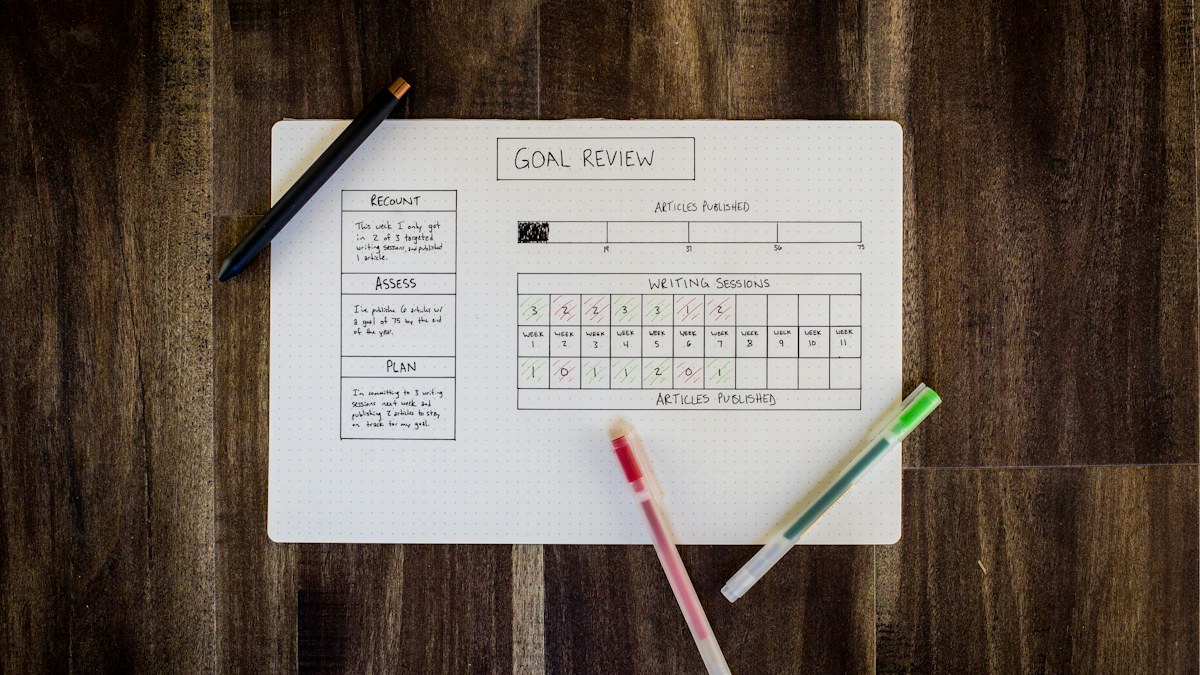
The Weekly Planning System at a Glance
The system works best when it is boring enough to repeat. You are not trying to redesign your life every Sunday. You are moving the week through the same sequence until the important work becomes obvious.
| Step | Question | Output |
|---|---|---|
| 1. Capture | What is still in my head? | One complete inbox of open loops |
| 2. Clarify | Is this a task, project, waiting item, or later idea? | Clean categories |
| 3. Check the calendar | What is already fixed? | Real weekly capacity |
| 4. Choose three outcomes | What would make this week count? | Three meaningful priorities |
| 5. Schedule the work | Where will those outcomes actually fit? | Protected blocks |
| 6. Review | What changed and what still matters? | A realistic reset |
Why Your Head Is a Bad Task Manager
Your brain is good at reminding you that something exists. It is much worse at deciding when that thing should happen, especially when several responsibilities are competing at once.
That is why an unfinished task can disappear for six hours and suddenly return while you are trying to sleep. The problem is not necessarily discipline. The problem is that the task never entered a system you trusted enough to stop rehearsing it mentally.
Once everything lives in one place, you can decide what matters instead of letting whatever you remember most recently control the day. That is the same principle behind building mental discipline: remove avoidable friction before asking willpower to carry the load.
Step 1: Capture Everything Before You Prioritize
Start by emptying your head. Write down work tasks, personal admin, errands, people you owe a reply, appointments that need booking, projects that feel stuck, things you are waiting on, and ideas you do not want to lose.
Do not organize while you capture. The first pass is inventory, not judgment. Paper, a notes app, or a task manager can all work as long as you end with one place you are willing to review again.
- Work that needs a next action
- Personal admin and errands
- People you need to reply to
- Appointments or deadlines
- Projects that are stalled
- Items you are waiting on
- Ideas worth keeping for later
Step 2: Separate Tasks From Projects
A task is something you can do in one clear action. A project contains several actions, which means writing the project name on a to do list usually creates more resistance rather than less.
The cure is to translate every vague project into the next physical step. You do not need to map the entire project before you begin. You only need to make the next move obvious enough that you can start.
| Vague item | Useful next action |
|---|---|
| Website | Draft the homepage headline |
| Taxes | Download last month’s bank statements |
| Trip | Compare three flight options |
| Client proposal | Write the opening recommendation |
| Home repair | Call two contractors for quotes |

Step 3: Build One Master List
Your master list is not today’s task list. It is storage for everything you have decided matters, which means it should be complete without being constantly visible.
Keep the categories simple. Work, Personal, Waiting, and Later are enough for many men. Add complexity only when it solves a real problem, not because reorganizing the system feels productive.
If choosing the tool becomes the project, read How to Buy a Planner You Will Actually Use. The best system is the one you will open when life gets busy, not the one with the most features.
Step 4: Review the Calendar Before the Task List
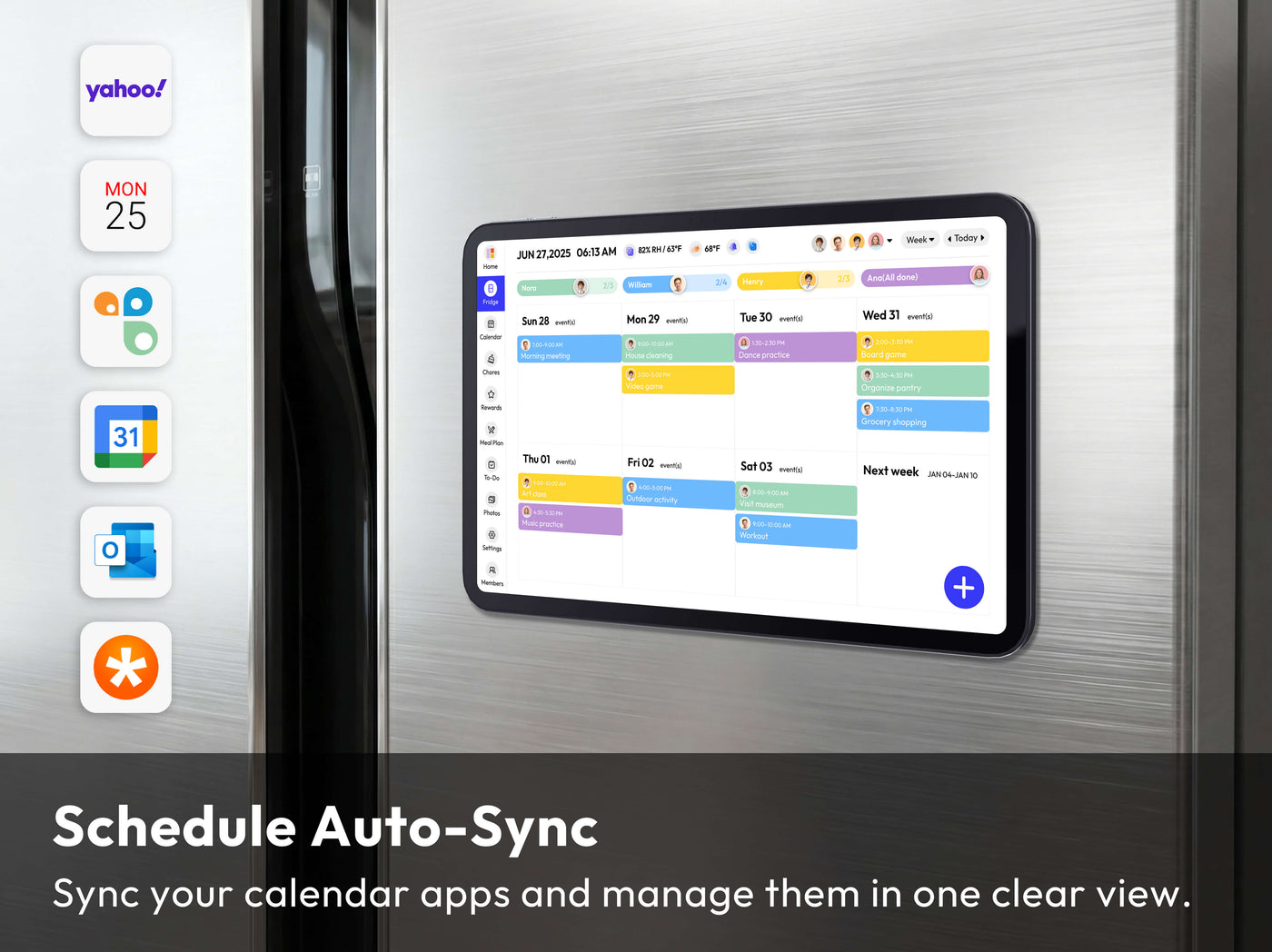
Shared-home planning option
Everblog 13.4-inch FridgeCal
Merchant-listed price at review: $249. Confirm current price and availability.
For a household juggling multiple people’s schedules, a shared physical calendar can reduce the need to ask one person for every appointment. Everblog’s 13.4-inch FridgeCal can display synced calendar events, chores, and lists on a magnetic rechargeable screen. This is an expensive optional setup, not a productivity prerequisite. A free shared Google calendar and a paper checklist cover most of the same planning need if everyone actually uses them.
Your calendar contains the hard edges of the week. Meetings, appointments, deadlines, travel, calls, family commitments, and events all reduce the amount of unscheduled time available for focused work.
Look at those first. A Wednesday with four calls does not have the same capacity as an open Friday, and pretending otherwise creates a fantasy schedule that fails by lunch.

Step 5: Choose Three Weekly Outcomes
A long list tells you what exists. Three weekly outcomes tell you what deserves disproportionate attention. That distinction is what turns planning into prioritization.
An outcome should describe a meaningful result rather than a pile of activity. “Work on proposal” is weak. “Send the proposal by Thursday” is clear enough to shape the week around it.
- Finish and send the client proposal
- Complete three training sessions
- Book the dentist appointment and resolve the insurance question
Three is not a magical number. It is simply small enough to force tradeoffs while leaving room for maintenance work, messages, errands, and whatever the week throws at you.
Step 6: Turn Outcomes Into Next Actions
Once you know the three outcomes, break each one into the next few actions required to move it forward. This keeps the weekly plan concrete and prevents a large goal from sitting untouched because the starting point feels vague.
If you still find yourself avoiding an important action after it is clear, the issue may be resistance rather than planning. In that case, How to Stop Procrastinating When Motivation Is Gone is the better next read.
Step 7: Match Work to Real Capacity
A task list does not tell you whether the week can physically hold the work. Rough time estimates do. A proposal may need two focused hours, admin may need thirty minutes, and writing may need ninety.
When your calendar shows three free hours and your plan quietly assumes eight, you have found the problem before the deadline finds it for you. That gives you time to renegotiate, delegate, reduce scope, or move something deliberately.
For work that requires uninterrupted focus, use time blocking selectively. Protect the few blocks that matter instead of scheduling every minute of the week.
Use a Shared Calendar Only When It Clarifies Responsibility
A calendar that everybody can see is not automatically a better planning system. It helps when two people need to coordinate the same appointments, pickups, work blocks or household obligations. If no one owns the task of keeping it current, another screen on the wall can create the same confusion as several competing notebooks.
Choose one place where the authoritative date and time live. When a family member adds an appointment, decide whether that change needs to appear on a shared calendar, a personal calendar or both. Name who is responsible for the event and include practical details such as travel time or a document to bring. A calendar shows when something happens; it does not replace a task list for work that has no fixed time.
During your weekly review, check for conflicts and unfinished handoffs before filling empty slots with more commitments. A physical display may be useful in a busy home, but a shared phone calendar or even a paper sheet can work just as well if people actually maintain it. Choose the system that cuts repeat conversations and forgotten obligations, not the one that looks most impressive.
Step 8: Create a Daily Top Three
Your weekly plan should make daily planning smaller. Each evening or morning, choose the three actions that would make that day useful and pull them from the larger weekly system.
That does not mean only three things can happen. It means three things have priority when messages, small requests, and low effort tasks start trying to take over the day.
Use a Waiting List So Other People Do Not Live in Your Head
Some responsibilities are temporarily outside your control. You sent the proposal, asked for the document, requested the quote, or handed the task to someone else. Keeping those items on your active list makes them look unfinished in the wrong way.
Move them to a Waiting list with the person’s name and a follow up date. You have not forgotten the commitment. You have simply stopped pretending there is an action you can take today.
Use Reminders Only for Time Specific Actions
A reminder is useful when timing matters. Renewing a domain next month, calling when an office opens, or checking a reservation on a specific date belongs on a calendar or reminder system.
Do not turn every task into an alarm. Too many reminders train you to dismiss them. The master list should hold work; the calendar should hold time.
Do a 15 Minute Midweek Check
A weekly plan should bend when reality changes. Take fifteen minutes around Wednesday to compare the plan with what actually happened and decide whether the remaining priorities still fit.
Remove tasks that no longer matter, move work that genuinely cannot fit, and protect anything that is now at risk. The point is not to defend Sunday’s plan. The point is to keep the week honest.
Do a 30 Minute Sunday Planning Routine
Sunday works well because it gives you distance from the previous week and lets Monday begin with decisions already made. If Sunday is family time or you work a different schedule, use any consistent window before your week becomes reactive.
A thirty minute reset is enough once the system is familiar. Spend the first ten minutes capturing loose ends, the next ten reviewing the calendar and choosing three outcomes, and the final ten placing the important work into realistic blocks.
Avoid Too Many Inboxes
Email flags, saved Slack messages, text threads, notes, screenshots, browser tabs, notebooks, and memory can all become accidental task managers. The problem is not that these tools exist. The problem is expecting yourself to remember which one contains the commitment.
Let messages remain communication tools. When something requires action later, create the task in the master system and link back to the original message if needed. One trusted list is easier to review than eight half trusted ones.
Do Not Schedule Every Minute
Overplanning creates a different failure mode. When every minute already has an assignment, one delayed meeting or longer conversation makes the entire day look broken.
Leave margin for travel, meals, transitions, unexpected requests, and the simple fact that some work takes longer than expected. A useful weekly plan should guide the week without making ordinary life feel like a violation.

Frequently Asked Questions
Should I do weekly planning on Sunday or Monday?
Use whichever time you can protect consistently before the week becomes reactive. Sunday is convenient for many people, but the routine matters more than the day.
How long should a weekly planning session take?
About 30 minutes is enough once your system is established. If it regularly takes much longer, you may be reorganizing the system instead of planning the week.
How many weekly priorities should I choose?
Three meaningful outcomes is a strong default. You can still handle routine responsibilities, but too many declared priorities remove the point of prioritizing.
Should I use paper or an app?
Either works if you trust it and review it. Choose the tool that survives a busy week rather than the one that looks most impressive when you set it up.
What should I do with unfinished tasks?
Move what still matters, delete what no longer matters, and clarify anything that stayed unfinished because it was too vague. Do not carry tasks forward automatically without deciding whether they still deserve space.
What if my week changes after I plan it?
Change the plan. The midweek check exists precisely because a useful planning system adapts to reality instead of forcing reality to match Sunday’s assumptions.
The Bottom Line
A good weekly planning system should make your head quieter, not give you another hobby to maintain. Capture everything, separate projects from actions, review the calendar, choose three outcomes, protect enough time for them, and reset once per week.
You do not need to remember more. You need a system you trust enough to stop remembering everything yourself.
Affiliate Disclosure: This article contains affiliate links. Modern Men HQ may earn a commission if you purchase through them, at no additional cost to you. Read our full Affiliate Disclosure.